How Bloons TD Still Runs Without Flash (and on a Chromebook)
Published · 3 min read
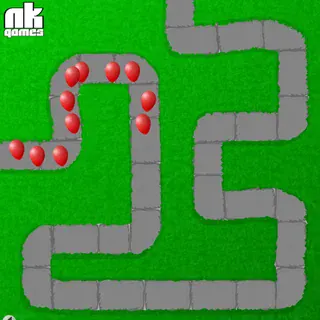
If you tried to play Bloons TD on an old games site recently, you may have seen a grey box, a jigsaw-piece icon or a message about a plugin. That is because the first four Bloons Tower Defense games were made in Adobe Flash, and Flash has been switched off in every major browser since the start of 2021. So how does the game on this site work?
What happened to Flash
Flash was a plugin that let websites run animations and games. For about fifteen years it powered most browser games, including almost everything Ninja Kiwi made. Adobe ended support for it on 31 December 2020, and Chrome, Edge, Firefox and Safari removed it. Any site still asking for the Flash plugin simply cannot show the game any more.
Ruffle: a Flash player that lives in the page
Ruffle is an open-source project that rebuilt a Flash player from scratch. It is written in a language called Rust and compiled to WebAssembly, which modern browsers can run at close to normal speed. When you open Bloons TD here, the page loads Ruffle together with the original game file — the same .swf file people played in 2007 — and Ruffle plays it. Nothing is installed on your computer, and there is no plugin to allow.
That is how Bloons TD, Bloons TD 2, Bloons TD 3, the Bloons TD 4 Expansion and the original Bloons dart game run on this site.
Why Bloons TD 4 is different
Bloons TD 4 on this site is not the Flash file. It is an HTML5 port — the game rebuilt to run on the browser's own technology — so it does not need Ruffle at all. You will not notice much difference while playing, but it tends to start a little faster.
Playing on a school Chromebook
- It is mouse-only. Every Bloons TD game is played by clicking, so a trackpad or a touch screen works fine.
- Click once inside the game. If buttons do not respond at first, one click on the game area gives it focus.
- Give it a few seconds. Ruffle has to load before the game does. On slow school Wi-Fi the first start can take a moment.
- Fullscreen helps. The button under the game makes the board bigger, which makes placing towers precisely easier on a small screen.
If a Bloons game will not load
- Reload the page. Ruffle occasionally needs a second try on a slow connection.
- Check that the tab is not muted or blocked by an extension. Some ad blockers stop the WebAssembly file from loading.
- Try another Bloons game on the site. If BTD4 (the HTML5 one) works but the others do not, something on your device is blocking Ruffle.
- Tell us on the contact page with your browser and device, and which game failed.
Does anything play differently?
Ruffle supports these games well, and the towers, rounds and bloons behave as they did originally. A few very old Flash features, like saving to a Flash cookie, may not carry over — but the first Bloons TD never had a save slot anyway, so a game simply runs from round one to the end in one sitting.
The games belong to Ninja Kiwi. If you enjoy them, the studio's newer Bloons games are sold on phones, PC and consoles.
More from the blog
- Games Like Bloons TD: Tower Defense and Strategy to Play Next
Finished all fifty rounds? The tower defense, lane-battle and aiming games on this site that feel closest to Bloons TD, and what each changes.